Crosslands Connect: Everything in one place
Crosslands Connect brings all your training records and resources together in one place!
Crosslands Connect is our ‘members only’ portal – essentially an extension of our website, but we’ve built it to feel and function just like an app on your phone or desktop. You can enter from the home page of our website or download the link as an app-like icon so that it’s handy to access on your phone or desktop. Features currently include:
| Learners | Leaders & Group Moderators | Mentors |
|
|
|
(You’ll need to be online to access most of the features).
Get started!
Direct access: Go to Crosslands Connect.
For Mobile: Use your phone to access the link on your phone or tablet
When you first log in:
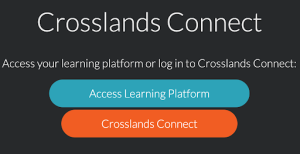
If you are already taking any online courses with Crosslands, you can now find and access those courses using the Learning Platform button.
All the other features are accessed through the Crosslands Connect button.
The first time you sign in you’ll need to set up your account.
Setting up your account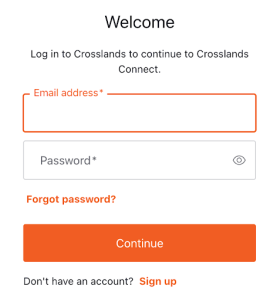
- Create a New Login: Click sign up at the bottom of the welcome box to create a Crosslands Connect account. Because we prioritise keeping our costs (and your fees) low, we use a separate login for this hub rather than expensive “single sign-on” software.
- Sync Your Data: If you’re already registered with Crosslands and use the same email address we already have on file, your existing details will automatically load! Otherwise you’ll be prompted to add details.
- Join Your Church: You may be asked to select your church. If it’s not listed, you can request to add it right there in the app.
- Privacy Matters: During setup, you’ll choose whether your name and contact info are visible to others in your specific church, cohort, or study group. You are always in control of your data.